Importer Options
Viewport Options
Configure how the Maya camera behaves after import, including framing and focus behavior for incoming glTF and glb scenes.
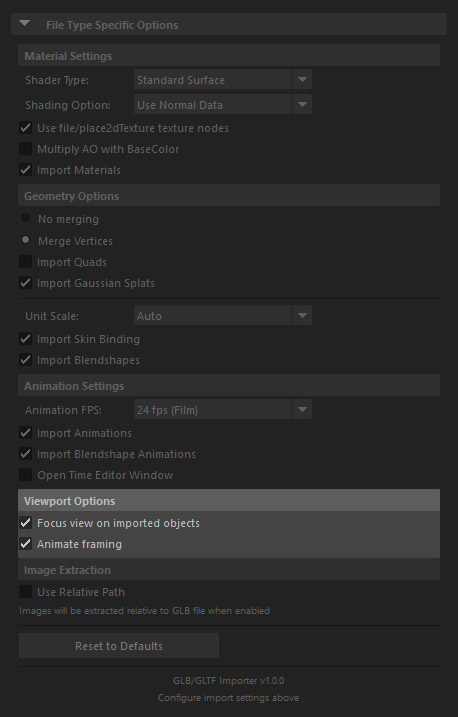
Focus view on imported objects
- When enabled (default), automatically focuses the viewport camera on imported objects after import
- Ensures that imported geometry is immediately visible and properly framed in the viewport
- Useful when importing objects into an empty scene or when you want to quickly inspect the imported model
- Disable if you want to maintain the current camera position and framing
Animate framing
- When enabled (default), animates the camera framing to smoothly transition and focus on imported objects
- Provides a smooth camera movement to frame the imported objects rather than an instant jump
- Creates a more polished viewing experience when objects are imported
- Disable if you prefer an instant camera focus without animation